Effects tab
The Effects tab in LCO Producer Strings lets you shape the sound of your ensemble by applying four effect units arranged in series.
The Effects tab in LCO Producer Strings lets you shape the sound of your ensemble by applying four effect units arranged in series. Each unit can load a different effect, and you can control whether it is active, swap it for another effect, or change its position in the chain to change how it interacts with the other effects.
The Effects tab consists of the following elements and controls:
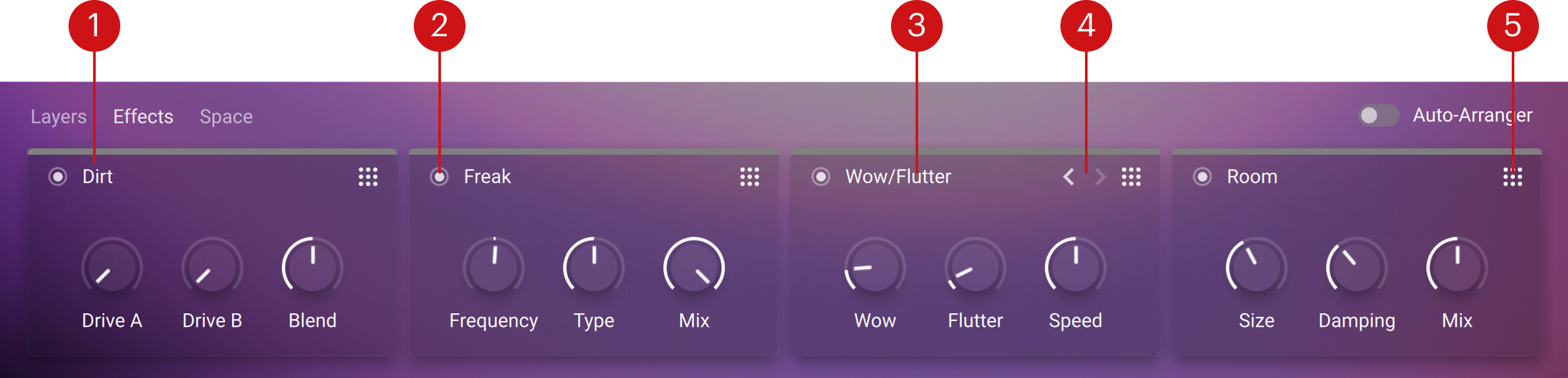
Effect unit: Displays the currently loaded effect with its available controls (for example, Drive A, Drive B, and Blend).
On/Off switch: Toggles the effect unit on or off.
Effect name: Shows the currently effect loaded in the unit. Clicking the name opens the Effects list, where you can select a different effect. Refer to Effect List.
Arrows (< >): Cycle through the available effects. The arrows appear on mouseover when an effect unit is on.
Reorder handle (grid): Lets you drag the unit to change its position in the effect chain.
Effect List
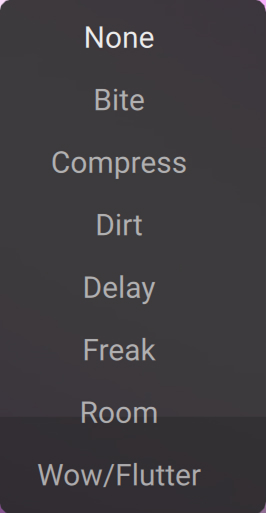 |
The Effect List shows all available effects that can be loaded into an effect unit. To open the list, click the effect name on any unit in the Effects tab. The list will appear, allowing you to select a different effect for that unit. Once selected, the effect replaces the current one, and its dedicated controls become available in the unit panel.
For detailed information about each effect and its controls, refer to the the individual effect topics in Effects tab.
Bite
Bite is an anti-aliased sample rate and bit reduction effect that can be used to create distortion effects that sound like vintage studio equipment, or inherently lo-fi sound sources, like old video games. It simulates the audio being sampled and replayed using a low-quality sampler with limited sample rate and bit depth.
Bite contains the following controls:
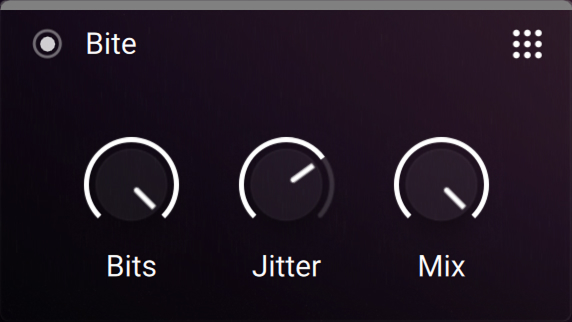 |
Bits: Re-quantizes the signal to an adjustable bit depth. Fractional bit levels (such as 12.4 bits) are possible and can add considerable “grit”. Audio CDs have a quantization depth of 16 bits, old samplers frequently used 8 or 12 bits, and 4 bits evoke memories of countless irritating children’s toys.
Bits: Re-quantizes the signal to an adjustable bit depth. Fractional bit levels (such as 12.4 bits) are possible and can add considerable “grit”. Audio CDs have a quantization depth of 16 bits, old samplers frequently used 8 or 12 bits, and 4 bits produce a distinctly lo-fi, almost digital-artefact sound reminiscent of early computer audio.
Jitter: Adjusts the amount of clock jitter. This adds fluctuations to the sampling rate of the resampling algorithm, effectively making the signal noisier. The jitter is added to the left and right stereo channels independently, resulting in a wide stereo image for the noise component.
Mix: Blends between the input signal and the effect signal. Turn the control fully left to bypass the effect, or turn right to mix in the effect.
Compress
Compressors are dynamic tools which reduce the level of loud passages in a signal, thereby affecting the signal’s dynamic range. They are invaluable for a lot of common tasks — for instance, they can be used for reducing level peaks, thereby allowing the overall signal volume to be turned up without making it clip, or in other words, increasing the average volume of a signal. By careful adjustment of the controls, they can also modify signal transients, allowing you to tame exaggerated “clicking” in percussive sounds. However, there is a point of diminishing returns; too much compression can result in a rather strained and weak sound.
Compress contains the following controls:
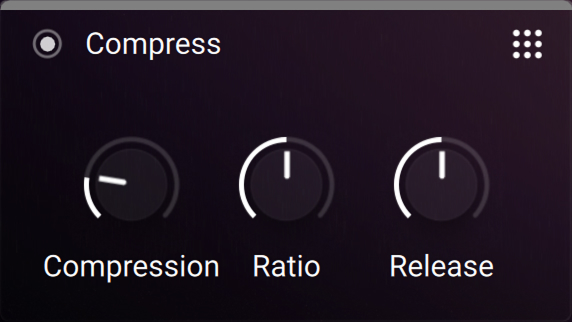 |
Compression: Determines the amount of compression applied to the input signal. The higher the value, the more compression is applied to the input signal.
Ratio: Selects between six different values for the compression ratio, which determines the amount of gain reduction applied to signals rising above the threshold. Ratios from 1.5 to 4 produce soft to moderate compression. The ratio of 5 produces strong compression. When set to a ratio of 10, the compressor behaves more like a limiter.
Release: Adjusts the time it takes for the compressor to get back to its standby state after the signal level has fallen below the threshold level. The release time is measured in seconds. Following release times are available: 0.1 s, 0.2 s, 0.4 s, 0.8 s, and 1.6 s. When the Release knob is turned at full right on the Auto position, the release time is set automatically according to the audio content.
Dirt
Dirt carefully provides more sophisticated and extreme sounds than possible with common distortion pedals, while staying true to the ease of use associated with these effects. It consists of two circuit-modeled diode clipping stages (A, B) configured in parallel.
Dirt contains the following controls:
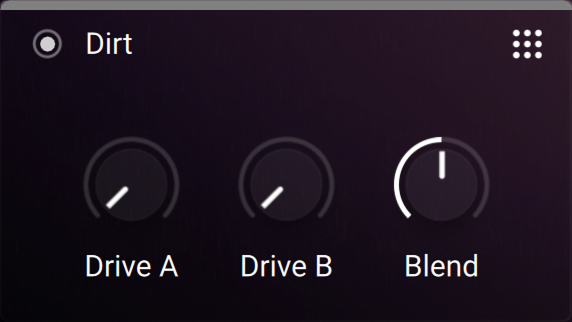 |
Drive A/B: Adjusts the input level, or gain. Turning Drive to the right increases the intensity of the distortion.
Blend: Blends between the output signals of stage A and stage B.
Delay
Delay effects record an incoming signal and play it back after a set amount of time, creating an echo. The repeats can be a single echo or multiple feedback loops. They are used to add space, depth, and rhythmic texture to sounds.
Delay contains the following controls:
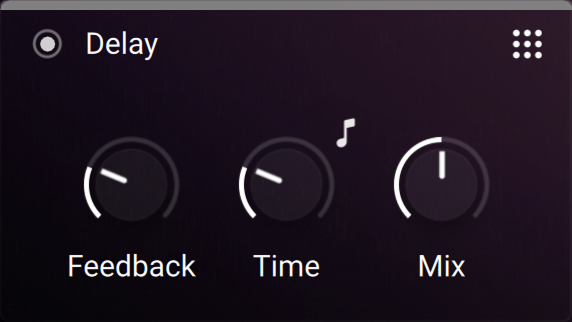 |
Feedback: Adjusts the amount of feedback. Turning Feedback to the right increases the amount of delay repetitions.
Time: Adjusts the delay time in milliseconds. To synchronize the time to your host or master editor tempo, click the 8th note symbol above the control and use Time control to choose a note length value.
Mix: Blends between the input signal and the delayed signal. Turn the control fully left to bypass the effect, or turn right to mix in the effect. Turning the control fully right to only hear the delayed signal.
Freak
Freak combines different amplitude modulation techniques and is based on a model of an analog diode ring circuit that produces rich harmonic overtones and textures. With a wide range of harmonic transformations, it can simulate AM radio, or add tremolo and distortion to a sound.
Freak contains the following controls:
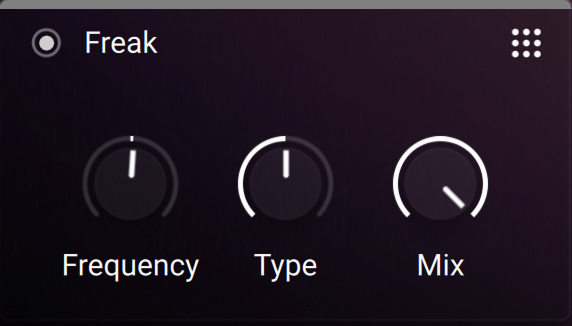 |
Freq: Adjusts the rate of the internal sine wave modulation used by the three different amplitude modulation techniques available via the Type control. When Type is set to amplitude (0%) and ring (50%) modulation, this allows you to change the frequency of the sidebands created in the frequency spectrum. When Type is set to frequency shifting (100%), the modulation rate equals the amount by which the input signal’s frequency content is shifted in the frequency spectrum. The Freq control is bipolar, meaning that both positive (non-inverted) and negative (inverted) modulation can be applied.
Type: Smoothly morphs between basic amplitude modulation (0%), ring modulation (50%), and frequency shifting (100%).
Mix: Blends between the input signal and the effect signal. Turn the control fully left to bypass the effect, or turn right to mix in the effect.
Room
This algorithmic reverb generates a natural room sound with strong initial reflections and a quick decay. You can use this to simulate the natural sound of a small acoustic space. With a faster reverberation time, it is particularly suited to acoustic instruments.
Room contains the following controls:
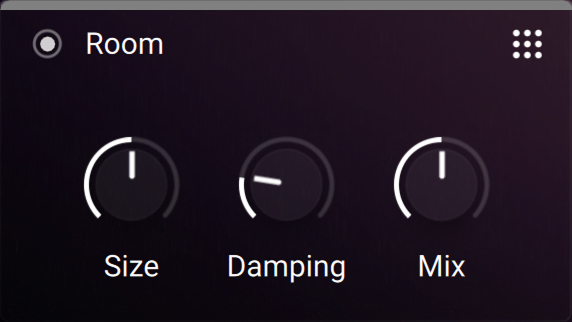 |
Size: Adjusts the size of the room simulated by the reverb effect. Higher values replicate larger rooms.
Damping: Adjusts the amount of absorption in the room simulated by the reverb effect. Higher values result in more absorption.
Mix: Blends between the input signal and the effect signal. Turn the control fully left to bypass the effect, or turn right to mix in the effect.
Wow/Flutter
Wow/Flutter emulates the sound of analog tape machines, characterized by wow and flutter, saturation, noise, and a limited high-frequency response. You can use it to apply classic lo-fi effects, particularly when playing sustained notes, pads and melodies.
Wow/Flutter includes the following controls:
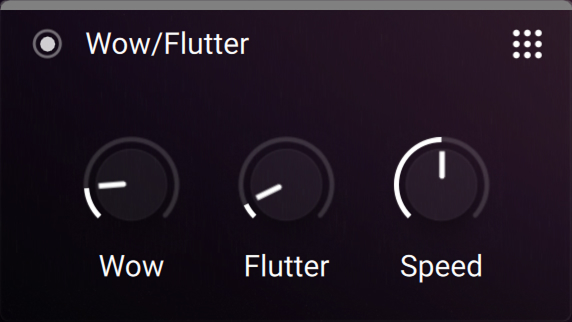 |
Wow: Adjusts the amount of wow, a slow fluctuation in pitch caused by sticky tape and worn-out tape transport.
Flutter: Adjusts the amount of flutter, a fast fluctuation in pitch caused by a bent capstans and faulty motor parts.
Speed: Adjusts the rate of the wow and flutter modulation.