LCO Producer Strings overview
Learn the main concepts and interface elements of LCO Producer Strings.
Once you have completed the installation and loaded LCO Producer Strings in Kontakt, you can start playing the Instrument. LCO Producer Strings opens with the main page. The Instrument provides the following key elements and global controls:
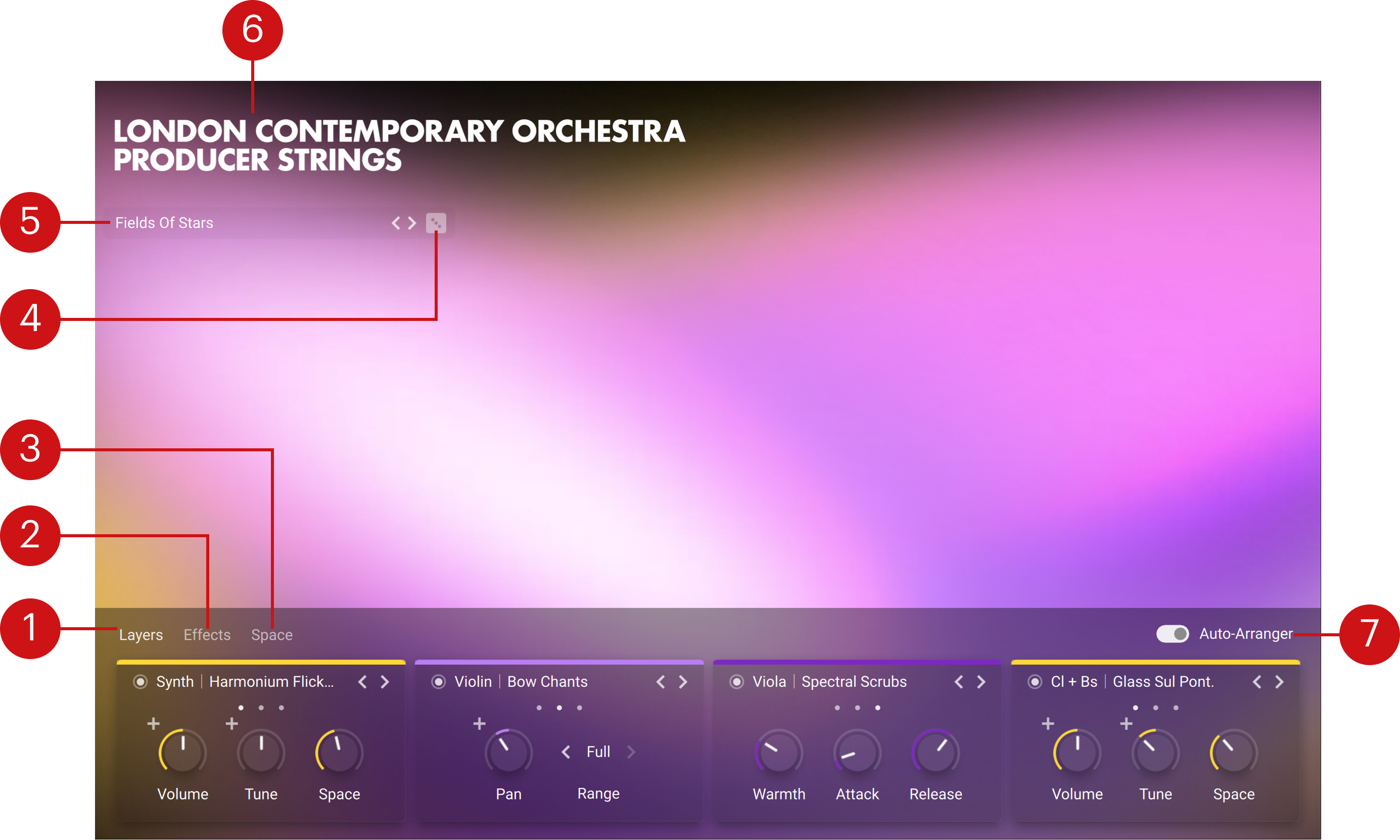
Layers tab: Provides four instrument layers. For each layer, you can switch it on/off, choose an instrument, and adjust controls like volume, tune, space, pan, range, warmth, attack, and release. Modulation can also be added to volume, tune, and pan. Refer to Layers tab.
Effects tab: Provides four effect units in series. For each unit, you can switch it on/off, change the effect, reorder the chain, and adjust its controls. Refer to Effects tab.
Space tab: Controls how much of each layer's signal is sent to a global reverb. From here, you can enable/disable the reverb, select and browse reverb types, and adjust the reverb controls. Refer to Space tab.
Select Random (dice): Loads a random preset from the ensemble preset list.
Preset browser: Lets you to cycle through the list of ensemble presets using the arrows, or open the Preset browser to view all available ensemble presets and filter them by instrument and character. Refer to Browsers.
About: Clicking the instrument name opens the About screen, which displays the credits for this instrument. You can click the About screen to close it again.
Auto-Arranger: Distributes simultaneously played notes across the four layers, so each layer handles different notes instead of all layers playing every note. This creates a more balanced and varied sound compared to all layers doubling the same chord.