Welcome to Traktor Play
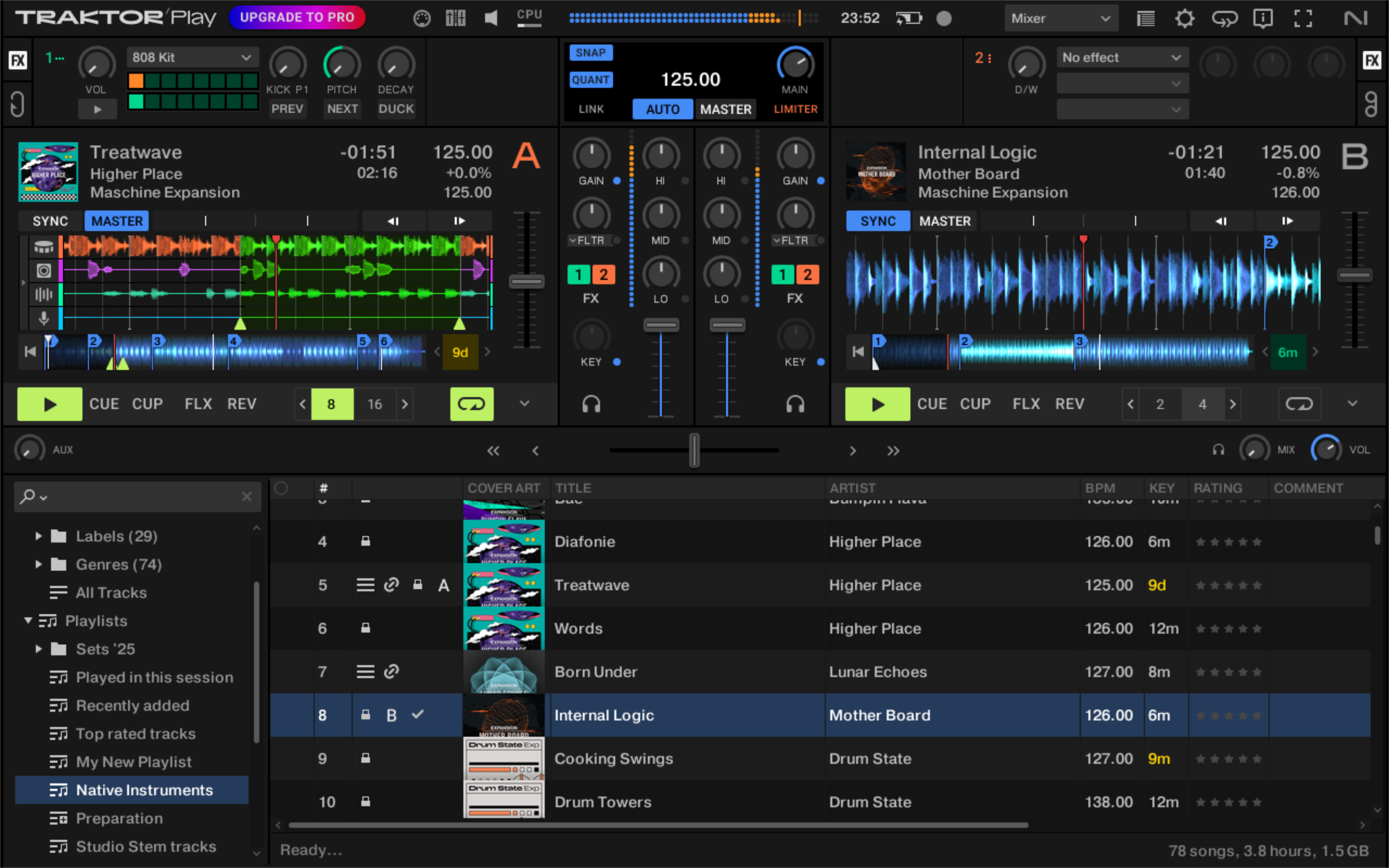
Welcome to the Traktor Play user guide. Read this user guide and learn how to use Traktor, the most powerful and versatile DJ software on the market.
Thank you for choosing Traktor Play — it is because of customers like you that we can continue developing groundbreaking music software and hardware. With Traktor Play, you can mix your tracks traditionally as well as combine your tracks and loops in a non-linear way, using it as a powerful live remixing tool. This documentation provides you with all the information you need to make use of Traktor Play’s features to their full capacity.
Document conventions
In this document the following formatting is used to highlight useful information:
Italics | Indicates paths to locations on your hard disk or other storage devices. | |
Bold | Highlights important names, concepts, and software interface elements. | |
[Brackets] | References keys on the computer keyboard. | |
| Denotes a single step instruction. | |
| Denotes the expected result when following instructions. |


The following three icons denote special types of information:
Tip
The light bulb icon indicates a useful tip, suggestion, or interesting fact.
Notice
The information icon highlights essential information in a given context.
Caution
The warning icon alerts you of potential risks and serious issues.