Installation and Setup
Before you can make music with EAST ASIA, you must install and set up the necessary software. Follow these instructions to get started:
Native Access
Native Access is where you will install the software for EAST ASIA. If you are new to Native Instruments, you will first have to create your Native ID. To learn more about Native Access, visit our support page here.
Download and install Native Access here.
Login to Native Access using your Native ID.
Click the Not installed tab.
Click INSTALL for the following products:
KONTAKT or KONTAK PLAYER
EAST ASIA
The software is installed automatically.
Note
If the software is already installed, click the Available updates tab and check for new updates before proceeding.
EAST ASIA via KONTAKT
Once installed, you can start using EAST ASIA in KONTAKT. EAST ASIA is not an independent plug-in, so you first need to open an instance of KONTAKT or KONTAKT PLAYER:
Open KONTAKT as a plug-in in your host software (DAW) or as a stand-alone application.
Locate EAST ASIA in the Browser, on the left side of the user interface.
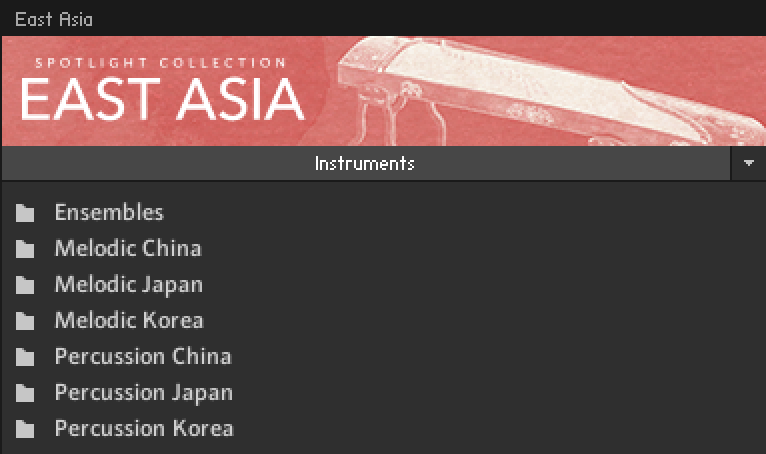
Click Instruments to open the product's content.
A list of folders are presented. The folders represent the EAST ASIA Spotlight Collection divided into percussion ensembles, single melodic instruments, and single percussion instruments from each of the three countries. For more information, refer to Library Overview.
Double-click a folder to open it.
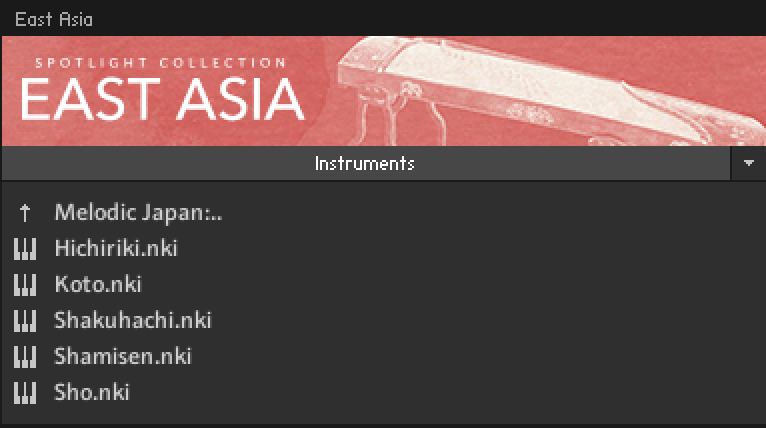
A list of available instruments are presented for the selected folder type.
Double-click an instrument to load it.
The instrument loads and is ready to play. Explore the instrument's preset library of sounds by loading Snapshots. To learn how to load Snapshots, refer to Snapshots.
Tip
If you are new to KONTAKT and want more information, visit KONTAKT PLAYER and KONTAKT.